Features
SSC Serv is a service for Microsoft Windows, which collects system statistics and submits them to a central
statistics server. It is similar to and compatible with collectd, a free and
open-sourced solution for UNIX systems.
Overview
The purpose of SSC Serv is to collect performance data on Windows servers. This data is then sent over the network to a server which stores the data for later processing or visualization. The service is very lightweight and can collect high-resolution statistics without affecting system performance in any noticable way.Fully integrated into Windows
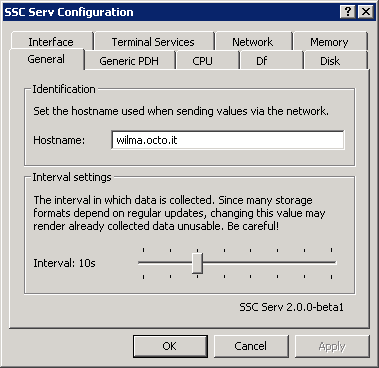
Lightweight
Efficiency is one of the top-most priorities of developing SSC Serv. It is designed to be lightweight and unobtrusive. After the initial set-up, it will get out of your way so you can go on and focus on more important issues. But when there are issues, the high-resolution metrics will certainly come in handy and help you identify the problem quickly.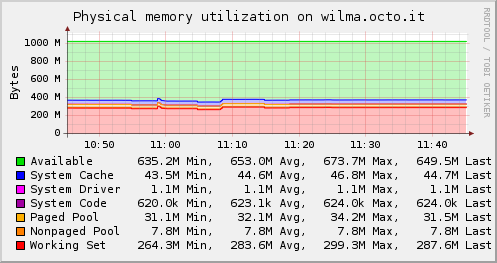
Data sources
The following data sources can currently be collected:- Active Directory (AD)
- CPU utilization
- Interface traffic
- Memory usage
- Process information
- Physical disk usage (throughput, operations per second)
- Volume usage (available and used bytes)
- Terminal services (sessions)
- Generic PDH (any PDH counter)
Output plug-ins
SSC Serv is compatible to a number of projects and services. The following plug-ins are available to send metrics gathered by SSC Serv to a storage and graphing system:- collectd
Uses the “binary network protocol” to send metrics to a collectd server. - Graphite
Sends metrics to Graphite, an open-source time series store and graphing system. - Librato
Integration with Librato, a hosted graphing and alerting solution. - Write HTTP
Send JSON-encoded metrics to arbitrary web services using POST requests.
Compatible to popular open-source projects
The Network plug-in can send data to a collectd 5 server for further processing and storage. The data is structured and encoded for maximum compatibility with collectd version 5.0 and later.With the Graphite plug-in you can send metrics directly from your Windows server to Graphite, a popular open-source graphing solution.
Librato output
Using the Librato plug-in you can send your metrics to Librato, a hosted metric storage, visualization and alerting solution. Take advantage of the features Librato offers without having to run your own metrics server.System requirements
SSC Serv requires at least Windows Vista / Windows 2008. We support SSC Serv on all versions of Windows that receive “Mainstream Support” from Microsoft. Currently the supported versions are:- Windows Server 2012 / 2012 R2
- Windows 10
- Windows 8 / 8.1
SSC Serv is available as x86 (32-bit) and x86_64 (64-bit) binary. Running the x86 binary on a 64-bit
version of Windows unfortunately doesn't work. Other than a compatible version of Microsoft Windows, there are
no further dependencies – the service can simply be installed by downloading and executing the setup
utility.